Professional digital artists spend a significant amount of time creating, editing, organizing, and delivering their work. As projects become more complex, having the right tools can make a noticeable difference in how smoothly that process runs. A setup that supports your workflow can help reduce technical frustrations, improve efficiency, and make day-to-day tasks easier to manage.
Not every artist uses the same equipment or software, and there is no single setup that works for everyone. Still, certain digital artist tools have become widely used because they help solve common challenges that artists face throughout the creative process.
From drawing tablets and software to storage solutions and workspace essentials, the tools below play an important role in helping professional artists work more effectively in 2026.
Essential Tools Every Professional Digital Artist Should Consider
A professional workspace is rarely built around a single product. Most artists combine several tools that support different parts of the creative process, from sketching and painting to file management and collaboration.
1. Where Every Digital Artwork Begins
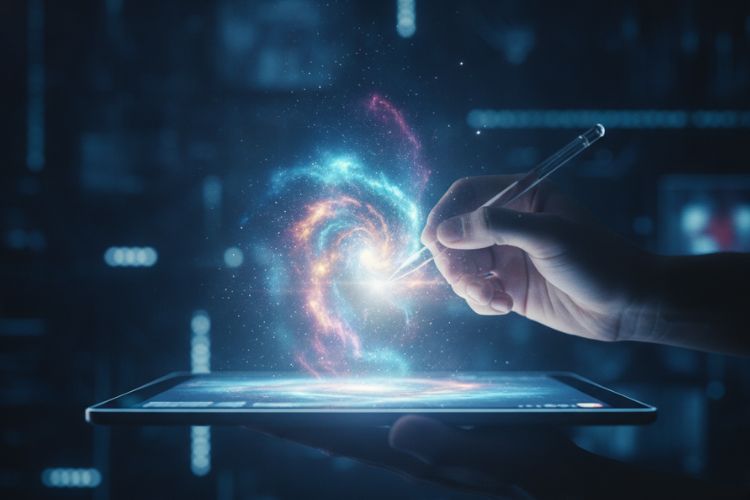
The purchase of a dependable graphics drawing tablet still ranks among the top priorities for a professional artist. With applications ranging from illustration to concept art and even comic characters, having the accuracy of a tablet is key.
Most professionals seek features such as pressure sensitivity, good pen response, and an intuitive drawing surface, since the artist spends many hours working on the machine. Many of the best tools for digital artists have changed over the years, but the drawing tablet continues to sit at the center of most digital workflows.
2. Software Does More Than Put Color on a Canvas
Digital art software has become far more powerful than simple drawing applications. Today’s programs support painting, animation, photo editing, design work, and advanced rendering techniques.
Various artists have various preferences based on what program best suits their needs. Some concentrate on illustrations, while others will need animation or concept development applications. Using an application that aligns with one’s needs proves better compared to using an application packed with numerous features.
The best digital drawing tools are usually the ones that help you work efficiently rather than the ones with the longest feature list.
3. Large Files Demand Reliable Performance
There is nothing more frustrating than lag during a detailed project. High-resolution artwork, multiple layers, and complex effects can place significant demands on a computer.
A high-performance computer or laptop allows artists to work without constant interruptions. Faster processing, adequate memory, and reliable storage help projects run smoothly and reduce waiting times.
As artwork becomes more complex, strong hardware often becomes one of the most valuable digital artist tools in a professional setup.
4. Color Problems Often Start With the Screen
Many beginners assume all monitors display colors the same way. Professional artists quickly discover that this is not the case.
A color-accurate monitor helps ensure artwork appears consistent across different devices and print formats. This becomes especially important when working with clients, printers, or commercial projects where color accuracy matters.
Even small color shifts can change the overall appearance of an illustration. A reliable monitor helps artists make decisions with greater confidence.
5. Losing Artwork Is Easier Than Most Artists Think
Hard drives crash. Files get corrupt. People mistakenly delete files. Cloud storage helps safeguard artists from such circumstances. Automated backups enable artists to salvage their work without having to spend weeks or months redoing it.
Many professionals maintain multiple backups because they understand how difficult it can be to recreate completed artwork. While backup solutions are rarely exciting, they are among the best tools for digital artists who depend on their creative work.
6. A Growing Library Needs Structure
Every artist collects resources over time. Brushes, textures, references, fonts, project files, and inspiration images can quickly become difficult to manage.
Without organization, valuable resources often become buried inside folders and forgotten. Searching for files can waste time that could be spent creating.
Among the most common Digital Artists Mistakes is ignoring file organization until it becomes a problem. Asset management tools and simple folder systems help artists locate resources quickly and maintain a more efficient workflow.
7. Great Artwork Rarely Comes From Memory Alone
Professional artists regularly use references. They study lighting, anatomy, architecture, clothing, and countless other subjects to create more believable artwork.
Reference tools can help you organize visual inspiration and research information all in one spot. A personal reference library makes future efforts easier because useful resources are always available to you. References aren’t a shortcut. A pragmatic aspect of professional artistic evolution.
8. Creative Work Often Involves Other People
Many artists work with clients, teams, publishers, or creative partners. Communication becomes an important part of the job.
Project management and collaboration platforms help track feedback, organize revisions, and keep conversations in one location. Clear communication often prevents misunderstandings and reduces unnecessary revisions. For freelance artists, especially, these tools can make project management far easier.
9. Color Choices Start Before Rendering
Choosing colors can sometimes take longer than drawing itself. Color palette tools help artists experiment with combinations and maintain consistency throughout a project. These resources are particularly useful when working on branding projects, comics, game assets, or illustrations that require a unified visual style. Rather than replacing creativity, these tools help simplify decision-making and reduce guesswork during the design process.
10. Comfort Becomes More Important Every Year
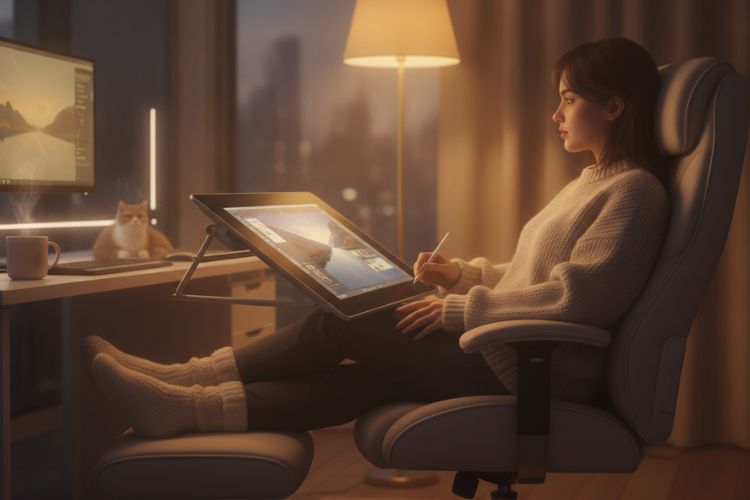
Artists often spend hours sitting at a desk. Over time, poor posture and repetitive movements can create discomfort that affects productivity.
This is where digital art accessories become valuable. Ergonomic chairs, adjustable tablet stands, wrist supports, and proper desk setups can make long sessions more comfortable.
Many professionals eventually discover that digital art accessories contribute just as much to a productive workspace as software and hardware do.
Building a Setup That Supports Your Workflow
Not every artist needs the same collection of tools. Someone focused on illustration may prioritize different resources than an animator or designer.
The best approach is to identify the areas that create the biggest obstacles in your workflow. If performance is an issue, upgrading hardware may help. If the organization is causing problems, better asset management systems may provide greater value.
Many artists also reach a point where they explore ways to share or sell digital art beyond personal projects. In those situations, workflow tools become even more important because managing creative work often involves more than creating it.
The goal is not to own every available tool. The goal is to build a setup that supports the way you work.
Conclusion
Professional artists rely on a combination of skills, experience, and tools. While technology cannot replace creativity, the right resources can remove obstacles and make the creative process more efficient.
The use of drawing tablets, software, back-up systems, and even digital art peripherals all have unique purposes. Oftentimes, the best combination of tools will be the simplest one that works for you.
As technology continues to evolve, new options will appear, but the need for reliable digital artist tools will remain the same. Building a thoughtful workspace can help artists focus less on technical frustrations and more on creating great work.
FAQs
What are the key tools used by digital artists?
The drawing board, the appropriate software, a good computer, and some backup methods have all been noted as key tools for digital artists.
Is it necessary for professionals to invest in costly tools?
Not really! Many artists begin with inexpensive tools and continue upgrading as per necessity.
What are the best digital drawing tools for novice artists?
Beginner-level drawing tablet, novice drawing software, and basic references may be enough for beginners.
Why are digital art accessories useful?
They can make work more comfortable and even efficient by reducing strain when working on projects for a long time.